

Microsoft’s segmentation guide for Private Access tells you to keep Quick Access around as your Private DNS host, and to narrow who it’s assigned to. It’s a typical end state: per-app apps for everything that matters, and Quick Access kept for DNS, assigned to whoever still needs broad access.
In that setup, the users you narrow out lose every internal name, including the names of the apps they’re allowed to reach. Private DNS belongs to Quick Access, whatever you publish next to it, and that has consequences most designs don’t account for.
Short version. Every Private DNS lookup rides on a Quick Access token, whichever app the name belongs to. A user who isn’t assigned to Quick Access, or who Conditional Access blocks from it, gets no internal names at all. If you segment with per-app apps, keep everyone who needs internal names assigned to Quick Access, even if Quick Access publishes nothing else.
Everything below was reproduced with users synced from AD, one domain controller and two connector groups, with every lookup logged next to what the DC’s own DNS log saw. I wrote my predictions down before I ran anything, and I got some of them wrong. Those are the interesting ones.
Why DNS is the awkward part
A VPN hands your laptop the internal DNS server and walks away. GSA can’t do that, because the client never talks to your DNS server directly.
Instead, the client writes an NRPT rule for each Private DNS suffix and points it at 6.6.255.254, an address that only exists inside the GSA client. Run Get-DnsClientNrptPolicy on any machine with Private DNS configured and there it is.
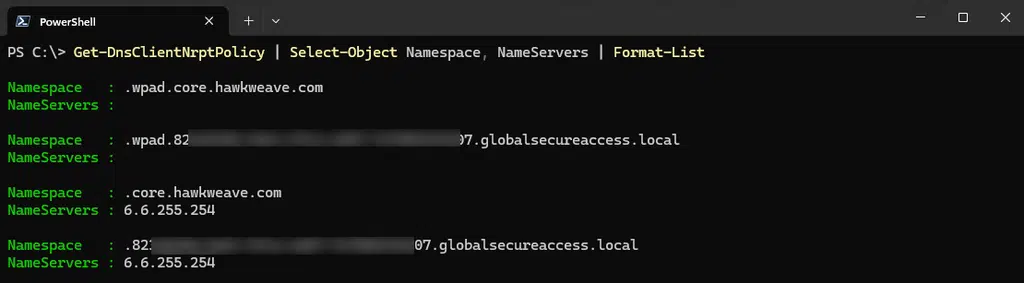
From there the query goes through the tunnel to a DNS proxy at Microsoft’s edge, then to a connector in your network, which asks your DNS server. The DC’s DNS log agrees with the docs on that part: every lookup arrives from a connector’s IP.
The detail that matters is which connector. Put a web app, app01, on its own connector group, away from Quick Access. The lookups for app01 still come from Quick Access’s connector. App01’s own connector only shows up later, resolving the name a second time when the connection is made.
So the name belongs to Quick Access, even when the app doesn’t.
The rule that runs the show
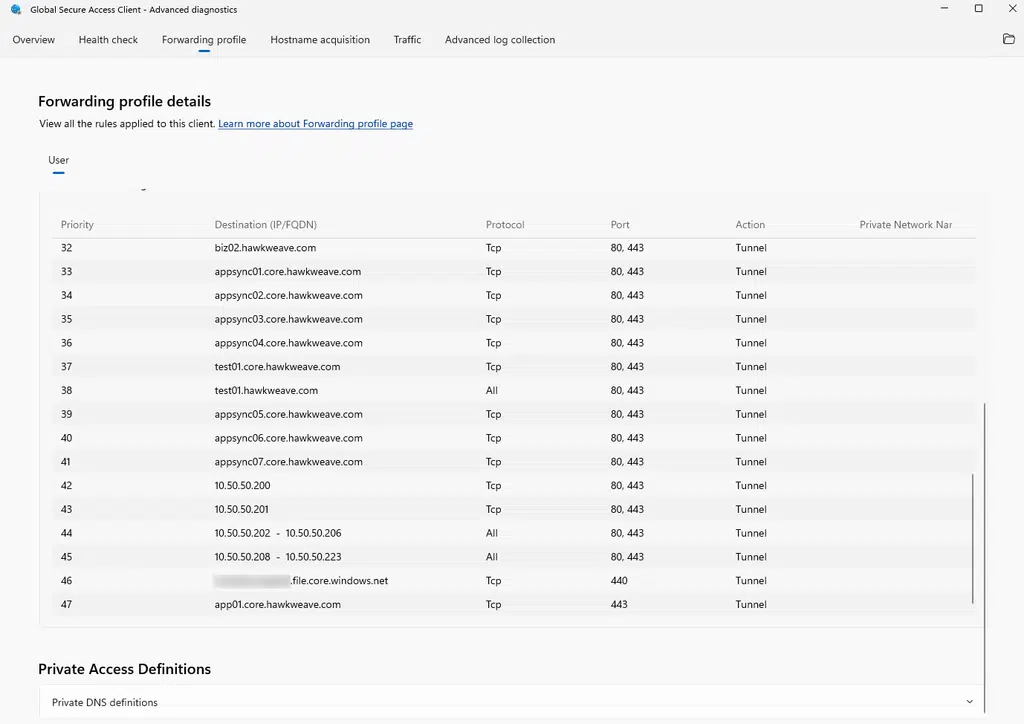
The GSA client keeps its policy in a forwarding profile, and Advanced diagnostics will show it to you on the Forwarding profile tab.
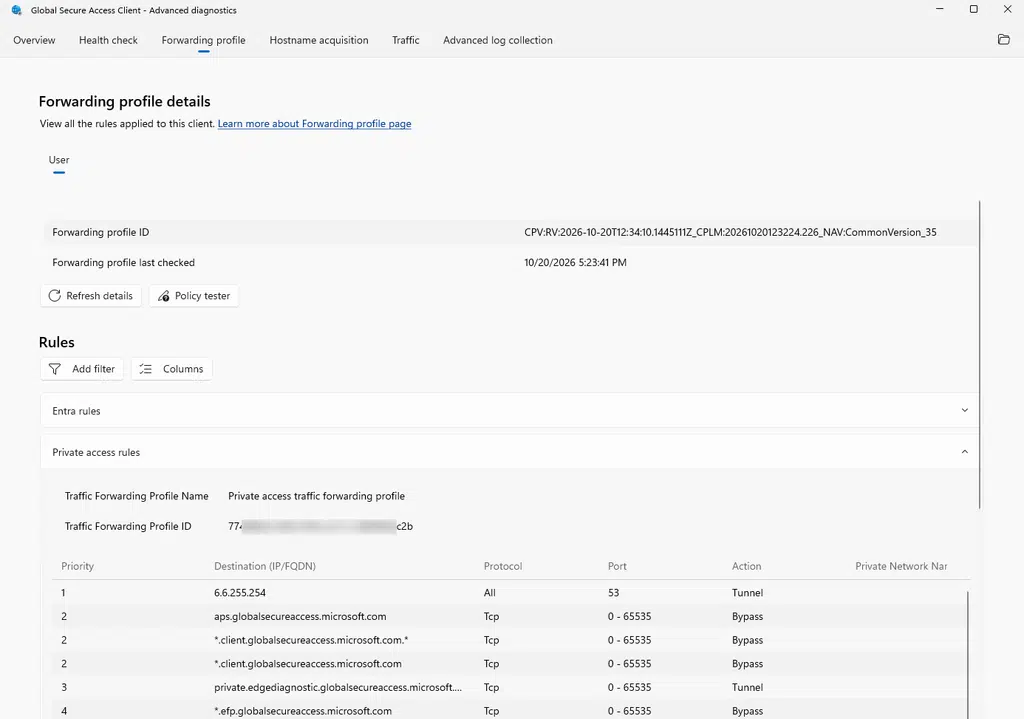
The first rule reads: destination 6.6.255.254, port 53, any protocol, action Tunnel. That one line carries every Private DNS lookup the device makes.
What the tab doesn’t show is which token each rule needs. The client’s event log does: every failed lookup in this post logged a token request for one app, Hawkweave Quick Access. To send a DNS query, the client needs an access token for Quick Access. Not for the app you’re trying to reach. For Quick Access.
I expected a user without a Quick Access assignment not to get the Private DNS rules at all. Wrong. A user assigned only to per-app apps gets exactly the same NRPT rules as everyone else.
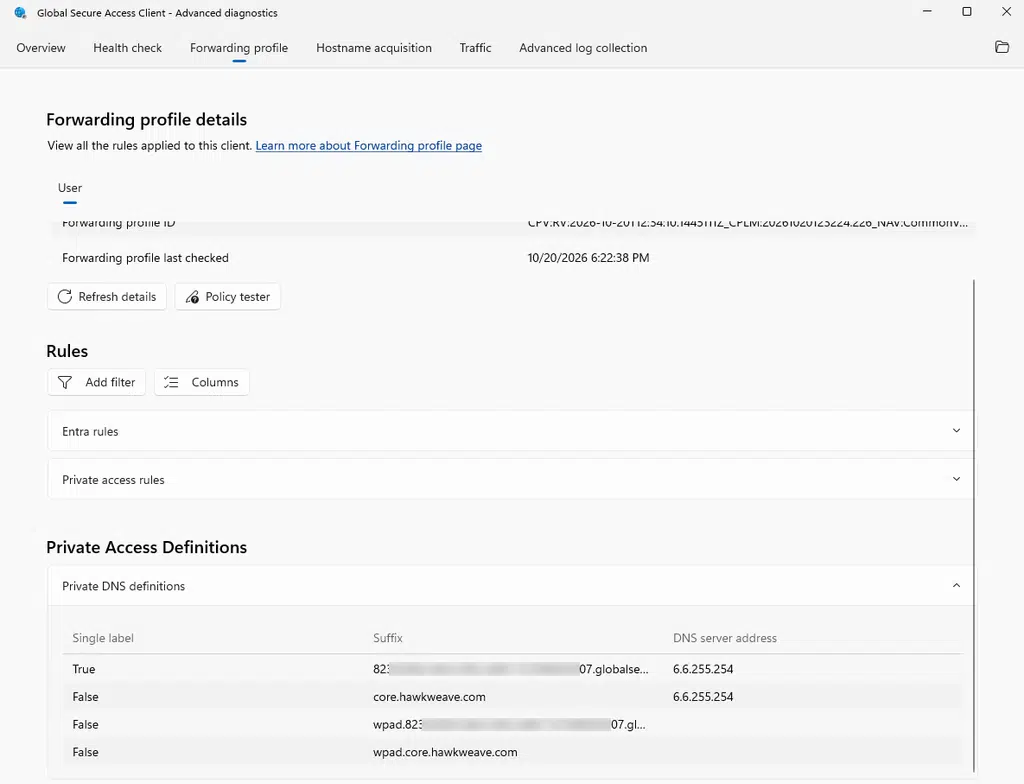
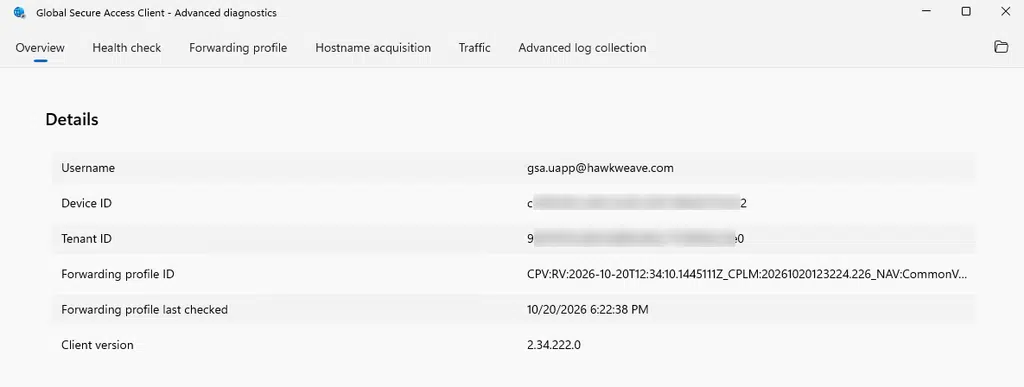
And every user’s profile holds forwarding rules for every Private Access app in the tenant, including the apps they aren’t assigned to. Assignment decides which of those tokens the client can actually get, and nothing about what lands on the device.
What a per-app-only user gets
Take a user assigned to three per-app apps: app01, the app that publishes the domain controller, and a file share. Not Quick Access.
Every lookup under core.hawkweave.com fails the same way. The client asks Entra for a Quick Access token, Entra answers AADSTS50105 (the user isn’t assigned to the app), and the query never leaves the device.
Resolve-DnsName app01times out after 12 seconds.curlcan’t resolve the host, and Edge shows ERR_NAME_NOT_RESOLVED.diron the file share says the network path wasn’t found.klistshows no tickets at all.
The DC sees none of it. Not one query.
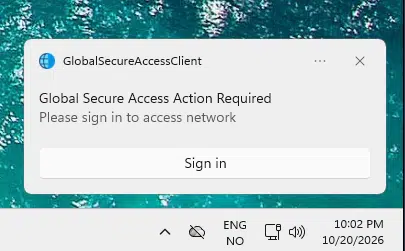
Then the client asks the user to sign in: “Please sign in to access network”, while its own main window says Connected.
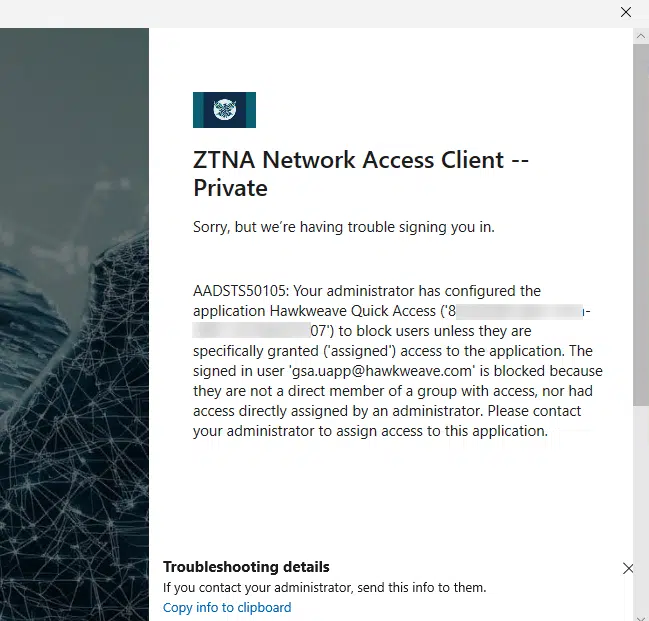
Read that error closely. It doesn’t mention app01, the DC or the file share. It names Hawkweave Quick Access.
The failure lands in Entra’s sign-in log too: application ZTNA Network Access Client -- Private, resource Hawkweave Quick Access, error 50105. This one shows up under interactive sign-ins, since the user clicked through the prompt.
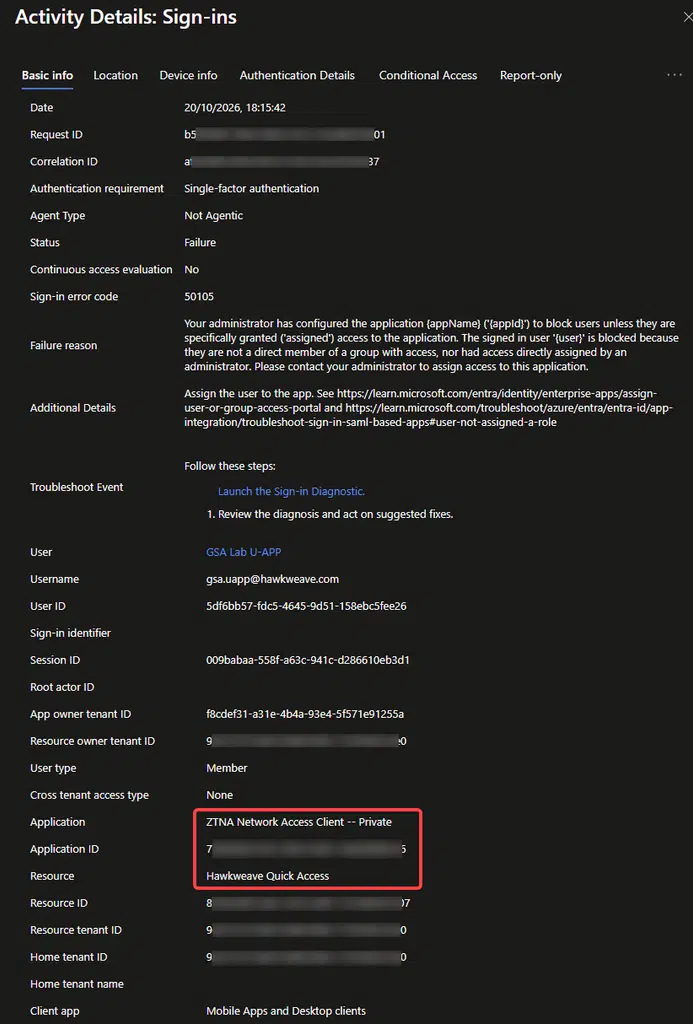
Signing in can’t fix any of this. The user is already signed in. They just aren’t assigned, and no amount of clicking changes the answer.
Close the sign-in window a few times and it gets worse. After three failed attempts in three minutes, the client logs event 506 and stops trying: “Authentication attempts will be temporarily restricted for the next 1 hours.”
Give them Quick Access, and nothing else
Now add that user to Quick Access, with Quick Access publishing no segments at all. That grants exactly one thing: the right to resolve names.
Everything comes back.
- app01 resolves to a synthetic address.
curlgets an HTTP 302 from the web server, andTest-NetConnectionon port 443 succeeds.- The file share lists its contents, and
klistnow shows a Kerberos ticket forcifs/hw-fs01.
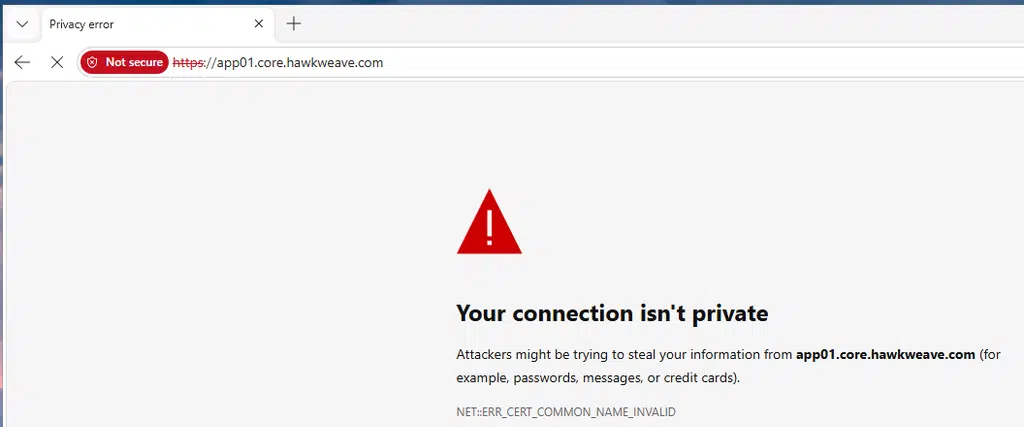
Edge gets there too, and then complains that BookStack’s certificate isn’t issued for app01. Fair enough.
The DNS Client log shows why Kerberos starts working. During dir, Windows sends the Kerberos SRV lookup and the lookup for the DC itself to 6.6.255.254. Through Quick Access.
So Kerberos SSO through Private Access depends on Quick Access too, even when the DC and the file server are published as their own per-app apps.
One more thing turns up. app01 redirects to a BookStack login page on hw-bookstack, which is published as a different app, one this user isn’t assigned to. When Edge follows the redirect, the token request for that app fails with the same AADSTS50105, and the same “Please sign in” toast comes back.
That prompt shows up for any app the user isn’t assigned to; I’ve seen it for three different ones. It can’t be satisfied by signing in, and your users will try anyway.
Conditional Access on Quick Access is Conditional Access on DNS
Microsoft does warn you about this one. The VPN replacement tutorial says:
“Conditional Access policies can be applied to the Quick Access app. Keep in mind that this will include DNS queries if Private DNS is configured.”
What it doesn’t spell out is how complete it is.
Take a policy that blocks one user from Quick Access. Only Quick Access. The user stays assigned to app01, the DC app and the file share, and signs in fresh.
During sign-in, Windows sends the DC locator’s SRV query to 6.6.255.254. Seconds later, the client’s first Quick Access token request fails with AADSTS53003: blocked by Conditional Access. From then on it fails in a burst for every lookup, 73 times in a few minutes.
The client puts up the same “Please sign in to access network” toast here, too. Signing in doesn’t fix a block either.
Every name under the suffix times out. app01, the DC’s SRV record, a TXT record, a name with no app behind it at all. None of them reach the DC. The per-app assignments don’t help, because none of those lookups ever asks for a per-app token.
Where you find the evidence matters too. The block shows up in Entra’s sign-in log as a non-interactive sign-in: ZTNA Network Access Client, Private, to Hawkweave Quick Access, error 53003, with the blocking policy listed as the failure.
Graph’s auditLogs/signIns returns interactive sign-ins only, unless you filter on signInEventTypes for nonInteractiveUser. Without the filter, these rows simply aren’t there. The portal’s search by request ID didn’t find the first one for me either.
The tutorial’s specific warning is about MFA with a sign-in frequency on Quick Access, which would prompt users in the middle of DNS lookups. Same principle, wider scope: whatever you put on Quick Access in Conditional Access, you put on every internal name lookup.
any app does the same, and what actually ends the window. If you’ve seen this in production, I’d like to hear about it.
Designing around it
Treat Quick Access as your DNS app. If it carries Private DNS, everyone who needs a name under those suffixes needs a Quick Access assignment. If you want Quick Access to grant nothing else, give it no segments. That’s the setup that fixed the per-app-only user above.
Read the segmentation guide with that in mind. It says to keep Quick Access as the Private DNS host, and to narrow its assignment to “often a subset of the original VPN-replacement assignment, not all users.” Each half makes sense on its own. Together, they cut DNS off for everyone you narrow out. The troubleshooting section of the VPN replacement tutorial even has the fix in it: “Ensure your user is assigned to the Quick Access app.” Every sentence is true. The trap is in combining them.
Design Conditional Access on Quick Access as DNS policy. A block, an MFA prompt or a device requirement on Quick Access applies to every internal name lookup, for every app.
Assign synced users to the app that publishes your domain controllers. Windows will contact the DC whether you ask it to or not. Without that assignment, users get the 50105 prompt for an app they never knowingly opened.
When a user says GSA is connected but nothing resolves, look for failed token requests. The GSA client’s Operational log records each one with the AADSTS code and the app it asked for. An NRPT rule in place proves nothing on its own. The per-app-only user had one too.
Giving everyone Quick Access has a price, though. Everyone with it can resolve every name under the suffix, including names you never published, and some of those come back as real internal IPs. That’s the next post.
What I guessed, and where I was wrong
Before testing, I wrote down a dozen guesses about how this would behave, and how sure I was of each. Here are the four that matter for this post. The rest come with the next one.
| Guess | How sure I was | Result | |
|---|---|---|---|
| P1 | A user without a Quick Access assignment gets no Private DNS rules | 50/50 | Wrong. Same NRPT rules as everyone else |
| P2 | That user can still reach a per-app app by its FQDN | 50/50 | Wrong. Name resolution fails before the app is ever involved |
| P3 | That user can’t get Kerberos SSO to a file share | Fairly sure | Right. No tickets, until Quick Access was added |
| P11 | A CA block on Quick Access stops name resolution for per-app apps too | 50/50 | Right, for the forest suffix I tested |
I got the mechanism wrong in both misses, in the same direction. I assumed Quick Access assignment controlled what the device received. It controls what the device can use.
What I didn’t test
- Per-app apps whose FQDNs sit outside every Private DNS suffix. They might never touch the Quick Access token.
- macOS, iOS and Android clients.
- More than one DC or AD site.
Tested on
GSA client 2.34.222 on Windows 11 25H2 (builds 26200.9457 and 26200.9711), Entra joined and compliant, IPv4 preferred, Edge’s built-in DNS client and DNS over HTTPS off. Private network connector 1.5.4892.0. One DC on Windows Server 2022. Test users synced from AD with Cloud Sync. October 2026.
The short version, again
Per-app access segments traffic. Names stay with Quick Access. Every Private DNS lookup needs a Quick Access token, whichever app it’s for. So hand out Quick Access the way you’d hand out DNS, and treat its Conditional Access policies as DNS policy.
Next up, Segmentation stops at port 53: one Private DNS query traced end to end, and the places where it doesn’t match the docs.